| Email Standard setting |
|
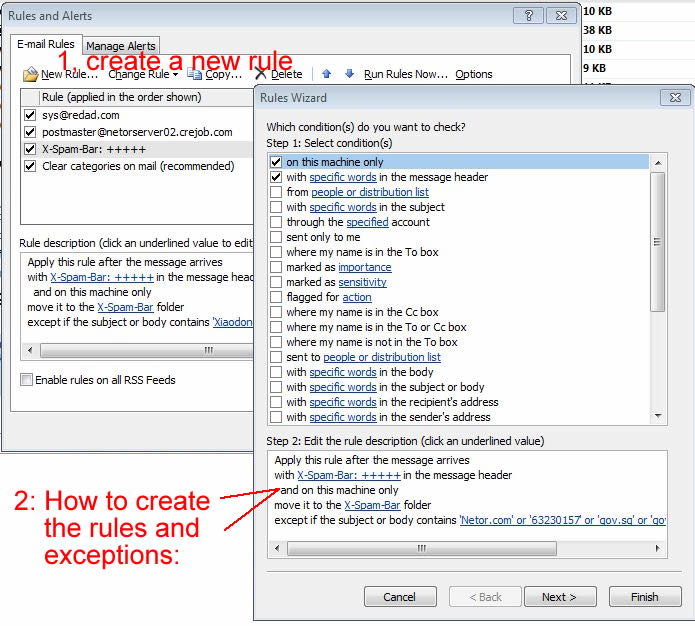
Out email server does not directly remove any spam email, it only inserts a spam mark (+ signs) in each email header, the more + signs, the more likely it is a spam.
User should create own filter to leverage on these spam marks. A spam mark looks like this in your incoming email header: X-Spam-Bar: +++++++ Setting up email filter in Outlook. This setting is to put spam in a specific spam folder, and users later can verify caught messages before deleting, so you can use less + (4-6 + signs), make the filter more aggressive. |
|
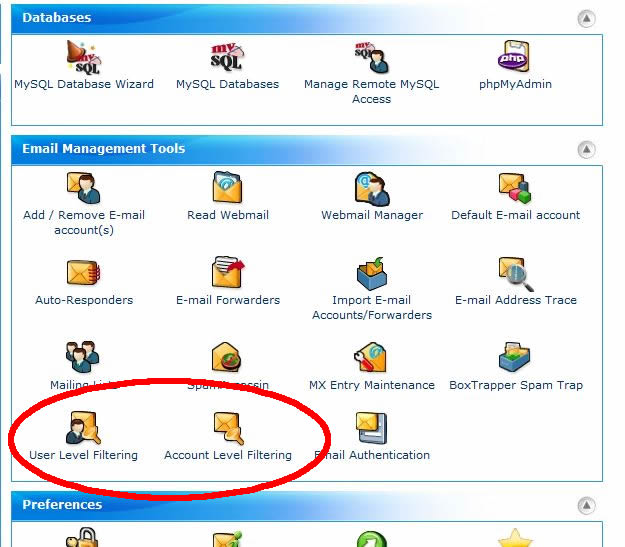
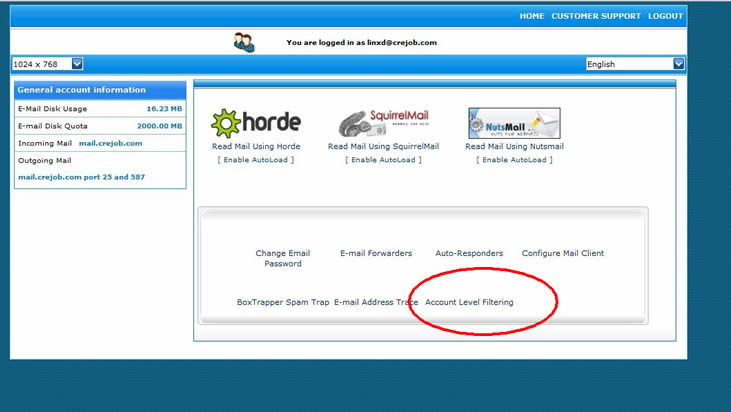
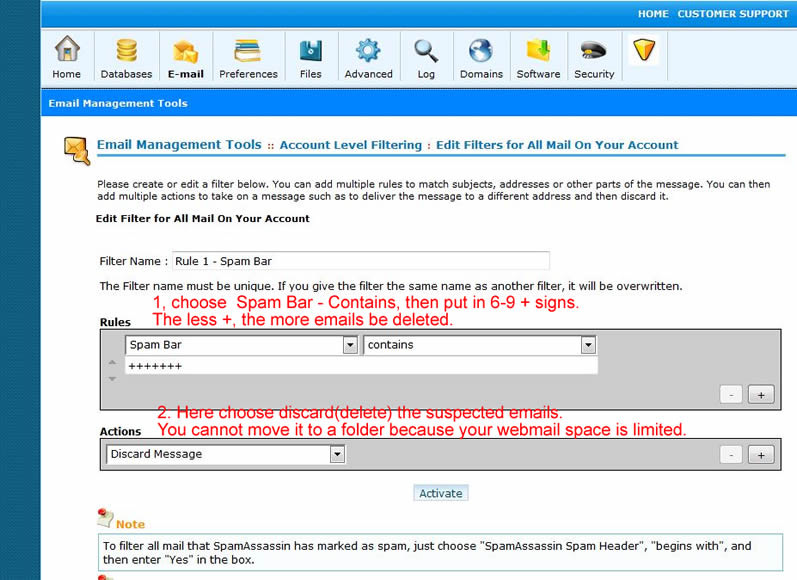
In Cpanel, you can also create the similar filters in either user individual account, or entire company domain level. You online webmail space is limited, so you cannot create a folder for spam, you can only let filter to delete the email directly. Please use more + signs, make the filter not too aggressive, otherwise you may lose some legitimate emails. |
Cpanel admin setting
 |
Individual account setting
 |
How to set the filter rule
 |
|
Copyright© 2011. All Rights Reserved. Back to Home |